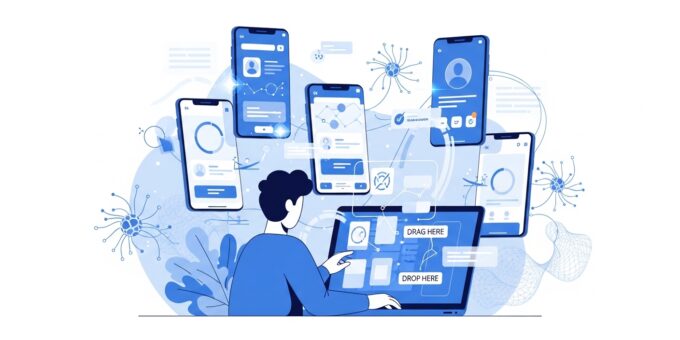
Mobile applications are one of the fastest-growing segments of the digital economy. Businesses, entrepreneurs, and creators use apps to reach customers, generate revenue, and build scalable products. In the past, creating an app required advanced programming skills and expensive developers. Today, that barrier is gone.
With modern AI development tools, anyone can build a mobile application without writing a single line of code. These platforms combine artificial intelligence, drag-and-drop builders, and automation to simplify the entire process. As a result, launching a profitable app is now accessible to beginners, entrepreneurs, and creators who want to build an online business.
This guide explains how to build a mobile app without coding using AI development tools, step by step. You will also learn how apps can generate passive income, support affiliate marketing, and even complement a dropshipping business.
Why Build a Mobile App Without Coding?
No-code and AI-powered development platforms are transforming how software is built. Instead of spending months learning programming languages, you can launch an application within days.
Here are the main benefits:
1. Lower Development Costs
Traditional mobile development often costs thousands of dollars. Hiring developers for iOS and Android apps can quickly exceed most startup budgets. AI development platforms reduce these costs dramatically.
Many tools offer affordable monthly plans, allowing entrepreneurs to test ideas without major financial risk.
2. Faster Time to Market
Speed is critical in digital markets. AI-powered app builders allow you to design, test, and publish apps quickly. This faster development cycle helps you launch products and validate business ideas much sooner.
3. Perfect for Online Entrepreneurs
Mobile apps can support multiple digital income models. For example, creators often use apps to promote affiliate marketing products, deliver premium content, or automate an online business.
Apps can also connect with eCommerce platforms to support a dropshipping business, making it easier to manage orders and customers.
What Are AI Development Tools?
AI development tools are platforms that help users build software applications with minimal coding knowledge. These tools use artificial intelligence to automate complex development tasks such as:
- User interface design
- Database creation
- App logic and workflows
- Testing and debugging
- Deployment to app stores
Most platforms use drag-and-drop interfaces. You simply select components like buttons, forms, images, and payment systems.
Popular AI app development tools include:
Each of these platforms allows beginners to design functional mobile apps quickly.
Step-by-Step Guide to Building a Mobile App Without Coding
Follow these steps to build your first mobile application using AI-powered development tools.
Step 1: Choose Your App Idea
Every successful application starts with a clear idea. Your app should solve a problem or provide useful value for users.
Some profitable app ideas include:
- Fitness or wellness tracking apps
- Productivity or habit tracking tools
- Educational learning platforms
- Shopping apps for eCommerce stores
- Apps promoting affiliate marketing offers
Many entrepreneurs combine apps with business models such as affiliate vs dropshipping strategies. For example, an app can recommend products through affiliate links or connect to a dropshipping business.
Step 2: Select an AI No-Code Platform
Choosing the right platform is essential for successful development. Each no-code platform offers unique features.
For example:
- Adalo is great for beginner-friendly mobile apps.
- Bubble is powerful for complex web apps.
- Glide works well for data-based applications.
- Thunkable supports both Android and iOS development.
You can explore these tools and choose the one that fits your project goals.
Step 3: Design Your App Interface
User experience plays a critical role in app success. Fortunately, AI tools make interface design simple.
You can create screens using drag-and-drop components such as:
- Buttons
- Menus
- Image galleries
- Forms
- Navigation bars
Most platforms provide templates that accelerate design. These templates allow beginners to create professional-looking apps without design skills.
Step 4: Add Features and Automation
Once the interface is ready, the next step is adding functionality.
AI development tools allow you to connect features such as:
- User accounts and login systems
- Payment gateways
- Push notifications
- Content feeds
- Product catalogs
Automation can also improve business operations. For example, apps can automatically promote affiliate products, recommend items, or connect customers to an online business store.
Step 5: Integrate Monetization Strategies
Mobile apps can generate revenue in multiple ways. Successful apps often combine several monetization methods.
Common strategies include:
In-App Purchases
Users pay for premium features, digital content, or additional services within the app.
Subscriptions
Recurring subscriptions provide predictable monthly revenue. This model is ideal for educational apps, communities, and productivity tools.
Advertising
Ad networks can display ads within your app. This method works well when your app attracts large numbers of users.
Affiliate Marketing
Many entrepreneurs integrate affiliate marketing into mobile apps. The app recommends products and earns commissions whenever users purchase through affiliate links.
This strategy is particularly effective when building a content-based or product discovery app.
eCommerce and Dropshipping
Apps can also support a dropshipping business. Customers browse products inside the app while suppliers handle fulfillment.
Many entrepreneurs compare affiliate vs dropshipping to decide which model fits their goals. Both strategies can be integrated into mobile apps to generate passive income.
Step 6: Test Your Application
Before publishing your app, testing is essential. AI development tools often include built-in testing environments.
During testing, verify the following:
- Navigation works correctly
- Buttons perform expected actions
- Forms collect accurate data
- Payments process successfully
Testing ensures your app provides a smooth user experience.
Step 7: Publish Your App
After testing is complete, you can publish your app to major app stores.
The two primary platforms are:
Google Play Store
Apple App Store
Most no-code platforms guide you through the submission process. They also help package the app and meet store requirements.
Best AI Development Tools for Beginners
Several tools stand out for beginners who want to build apps quickly.
Adalo
Adalo offers one of the easiest drag-and-drop app builders. Users can design apps visually and connect databases without coding.
It is ideal for launching simple startup ideas and MVP products.
Bubble
Bubble is powerful and flexible. It supports complex logic, integrations, and scalable applications.
Many startups use Bubble to build advanced platforms and SaaS products.
Glide
Glide transforms spreadsheets into mobile applications. This approach makes it perfect for internal business tools and data-driven apps.
Thunkable
Thunkable allows users to create apps for both Android and iOS with a single project. The platform includes visual programming blocks and AI assistance.
How Mobile Apps Generate Passive Income
One of the biggest advantages of building mobile apps is their ability to generate passive income.
After development, the app can continue generating revenue automatically through:
- Subscriptions
- Affiliate commissions
- Advertising revenue
- Digital product sales
For example, a product review app could recommend items through affiliate marketing. Each sale generates commission income with minimal ongoing effort.
Similarly, entrepreneurs can connect their mobile apps with an online business store or dropshipping business, allowing customers to shop directly through the app.
Tips for Building a Successful App
Even with powerful AI development tools, success still requires strategy and planning.
Focus on a Specific Audience
Apps that target a specific niche often perform better than broad applications.
Keep the Design Simple
Clean and simple interfaces improve usability. Avoid cluttered screens and complicated navigation.
Validate Your Idea Early
Test your concept with a small group of users before investing too much time into development.
Use SEO and Content Marketing
Promote your app through blog content, social media, and search optimization to attract more users.
Future of AI App Development
The future of app development is strongly connected to artificial intelligence. AI-powered development platforms continue to evolve, making app creation even easier.
New tools are beginning to generate entire applications from simple prompts. This innovation means entrepreneurs will soon be able to build sophisticated apps in minutes.
As these technologies improve, more creators will use mobile apps to build scalable digital products, automate an online business, and generate long-term passive income.
Conclusion
Building a mobile app no longer requires advanced programming knowledge. Thanks to modern AI development tools, anyone can design, launch, and monetize an app with minimal technical skills.
By following the steps in this guide, you can turn your idea into a working application and create new revenue streams. Mobile apps can support digital strategies such as affiliate marketing, product sales, and even a dropshipping business.
As AI technology continues to advance, building apps will become faster, cheaper, and more accessible. Entrepreneurs who take advantage of these tools today will be well positioned to build profitable digital products and scalable online business models in the future.
